In this article we are going to discuss about some networking devices and and their usage in the real world scenarios.
Modem
A modem is a device which is installed between the computer system and the internet source. The internet source is placed somewhere on Earth but very far away from our home. The connections are brought to us using wires called as cables. The internet which is passed through the cables are in the form of analog signals. But the thing is, our computer system only accepts digital signals. So, to solve this problem modems are used. Modem converts(modulates) the incoming analog signal to digital signal and converts(de-modulates) the outgoing digital signal into the analog signal. This is why, modem is also called as modulator and de-modulator.

Router
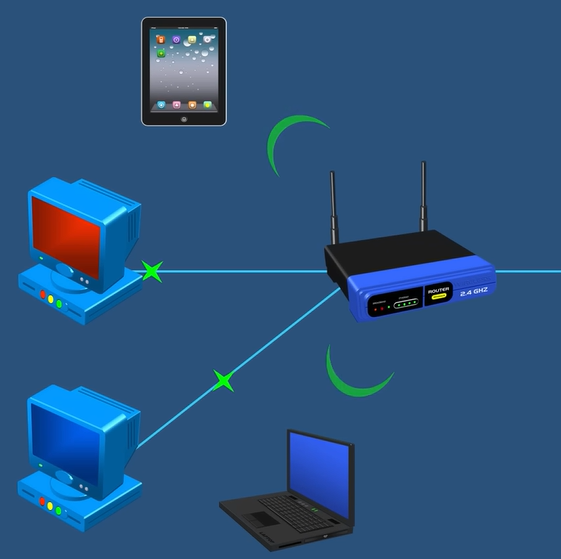
Modem provides us the required internet, but the problem is it can only provide internet to a single device or equipment. To solve this problem, routers are used. Routers are used to enroute the internet signals into different devices, both wire or wireless. By the help of it, multiple devices can get the access to internet from a single internet source.
Hub
Hubs are used to share data or information from one device to all other devices in a local area network(LAN).
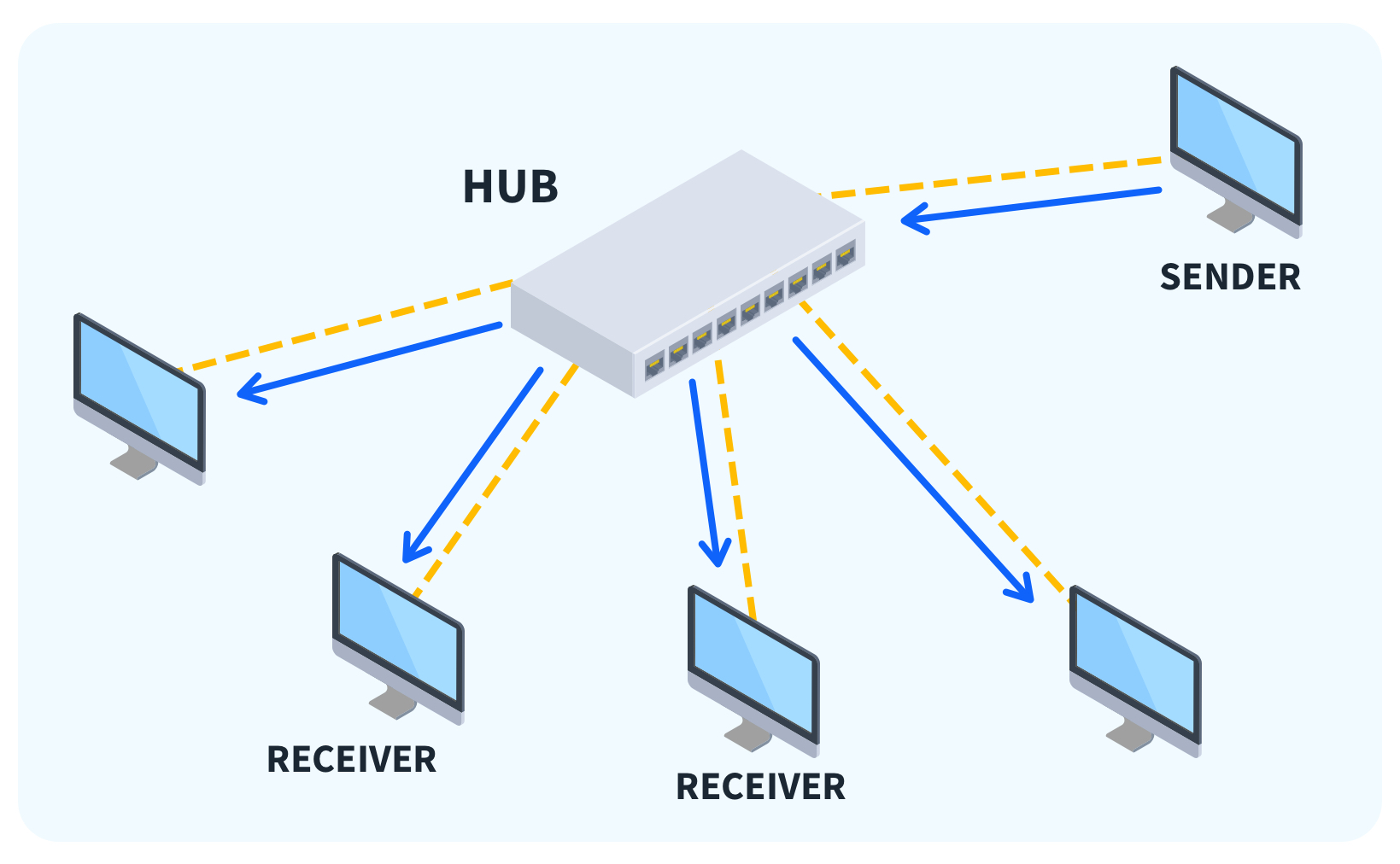
One of the major disadvantages in a hub is that, the data sent from one device is received by all the other devices in that LAN. This can compromise the data security and is not a preferrable option. To solve this issue, switches are created.
Switch
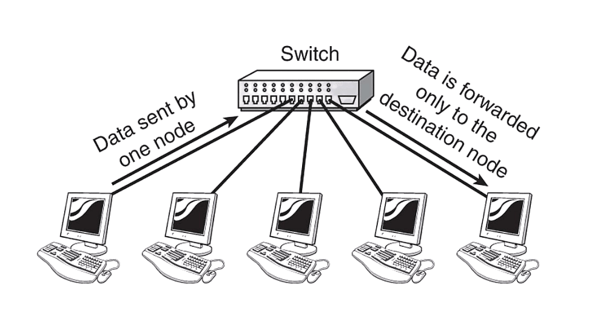
Switch is also similar to hub but with a major advancement. Switches are used to share data or information from one device to another device in LAN, but with the use of IP addresses. This gives us data integrity and the information sent is only received by the user, it was intended for.
Firewall
The use of firewall is to protect a device from the incoming malwares or virus attacks done by the hackers or some other entities. It acts as a bodyguard of the software of our system and only allows the safe and required data that our system had requested.

Load Balancers
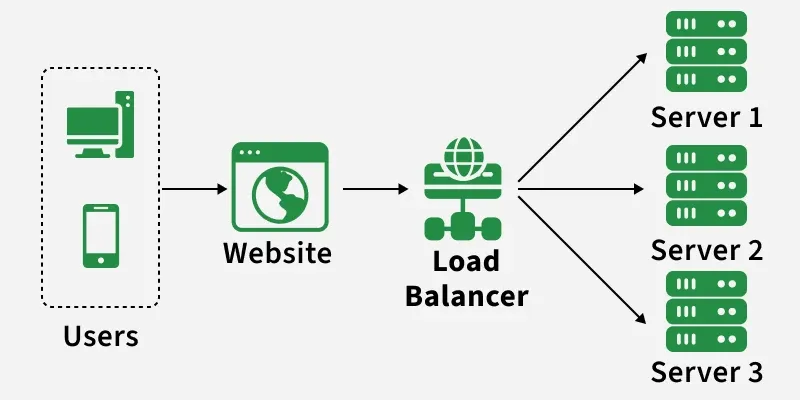
If we send a request to a website on the web, then the website hits a request on their respective server, and then the server processes the request and send the response back to the user’s IP. This is the general overall flow of the client-server architecture.
Now let’s take a scenario in which a number of user requests are hitting on the server. This will obviously cause server overload, and it may lead to the crash of the server. To avoid these situations load balancers are installed so that it will manage the incoming requests and evenly distribute them to different servers of the organization to prevent crashing. In this way, all the users will get their respective responses without causing any extra load to the specifics servers of the organization.
Comments
Join the discussionNo comments yet. Be the first to comment.
Assignments
In this series, I will be writing articles about all the things I learn from the cohort of ChaiAurCode platform, mentored by Hitesh Choudhary sir.